QR Code & Barcode Scanner
- 3.2
- Rating
- 1.00M
- Installs
- Free
- Price

 Analysis by App-foxy
QR Code & Barcode Scanner is the kind of tool I reach for when I want a quick answer from a square printed on a package, poster, receipt, or another phone screen. After using it in ordinary situations, my main impression is straightforward: it is a practical utility that keeps scanning and creating codes in one place, with a useful Wi-Fi shortcut and the option to open web results for more detail. It does not try to turn a simple task into a complicated system, and that restraint is its biggest strength.
The app comes from SolaraSoft and sits in the tools category rather than trying to be a shopping, browser, or networking replacement. It is free, suitable for Everyone, and works on Android devices running version 7.0 or later. Those details make it easy to consider for an older spare phone, a family device, or a basic everyday handset where I want a focused scanner without paying for a separate utility.
How the scanner feels in everyday use
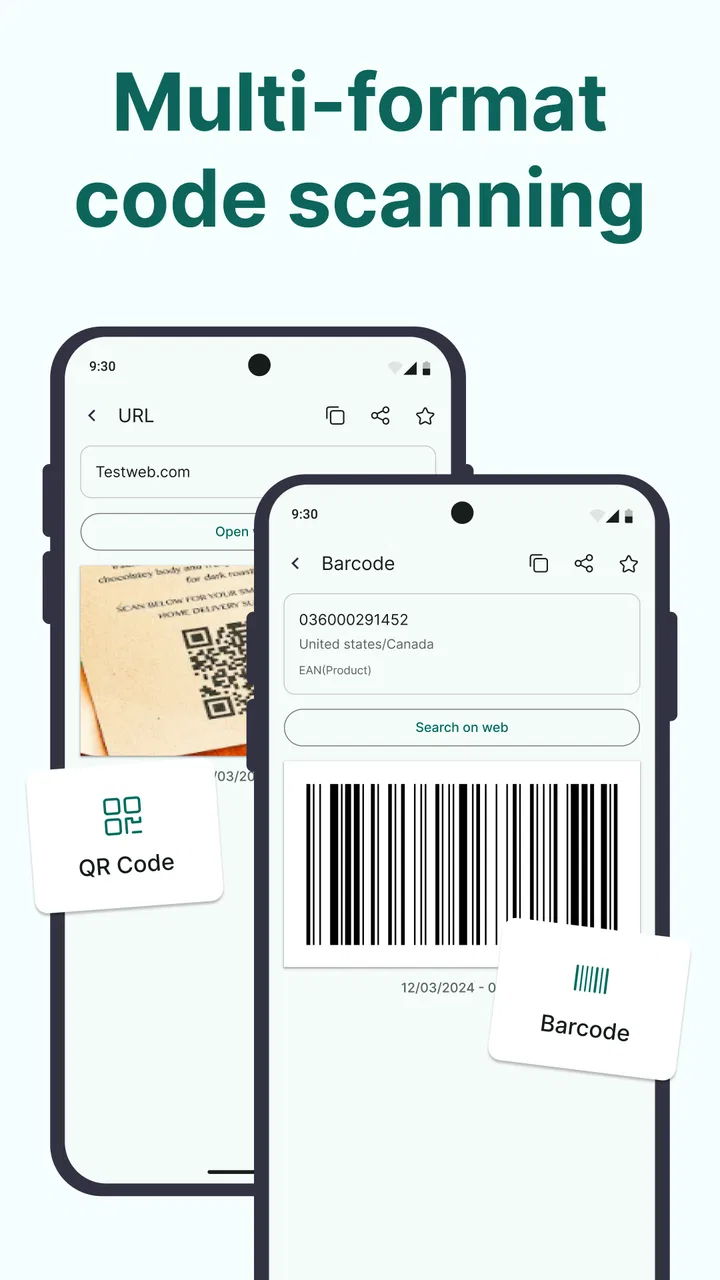
The first thing I value in a QR tool is how little attention it demands. I do not want to create an account, learn a complicated workflow, or manually type a long string when a camera can read it. This app is built around that simple expectation. I can use it to scan a QR code or barcode, then decide what to do with the result instead of treating every code as if it served the same purpose.
You May Also Like

 Blood Strike: 2.5 Anniversary
Blood Strike’s Loadouts Turn Every Drop Into a Tactical Gamble
A close look at Blood Strike’s custom loadouts: how fast access to signature weapons reshapes its battle royale rhythm, rewards preparation, and narrows the gap between fights.

 Pandora - Music & Podcasts
Pandora’s Music Is Easy to Start, but Harder to Recover
Pandora’s strength is its low-effort path from a seed to a station. Its weak spot is how much confidence it asks you to place in connection, setup, and quiet recovery.

 8 Ball Pool
 Is Built on Rivalries, Rematches, and Routine
A close look at the rivalries, rematches, shared routines, and unanswered safety questions that turn a quick pool match into a persistent mobile community.

 Samsung Music
’s Quiet Strength Is Playing What You Already Own
Its reach comes less from spectacle than from dependable access to a personal library. That simplicity is both the app’s strongest retention engine and its ceiling.

 AccuWeather: Weather Radar
AccuWeather Review: A Quick, Clear Forecast for Everyday Decisions
For everyday plans, the best forecast is the one you can understand quickly. AccuWeather makes rain timing, radar, and local conditions easy to act on, with a few trade-offs.

 Hill Climb Racing
Why Hill Climb Racing Still Turns Crashes Into One More Run
A tiny car, a bumpy hill and one more upgrade: Hill Climb Racing keeps resurfacing because its simple chaos makes every near-miss feel personal.
More From Our News Desk



That distinction matters because QR codes and traditional barcodes are often encountered in different contexts. A QR code on a restaurant notice may lead to a web page, while a barcode on a product is more likely to identify an item. Having both types handled by one tool means I do not need to keep separate utilities for two related jobs. The app’s role is narrow, but it is narrow in a useful way.
I also like the option to create codes rather than only read them. That makes the app more useful for sharing a piece of information with another person. For example, I might create a code for a text note, a contact detail, or another supported piece of content and let someone scan it from my screen. I would still check the generated result before sharing it, especially when accuracy matters, but the two-way approach is more convenient than using one app to scan and another to create.
The Wi-Fi function is the feature that feels most practical in a home or small office. Instead of spelling out a long network password to a visitor, I can use a QR-based connection workflow. This is particularly handy when the password contains confusing characters or when several people need access in a short period. It also reduces the chance of mistyping a password while someone is standing nearby waiting to connect.
There is a small but important habit I recommend here: I would generate the Wi-Fi code while checking the network name and password carefully, then keep the resulting code somewhere convenient only if I am comfortable with anyone who can see it joining that network. A Wi-Fi QR code is convenient, but it is also a direct sharing method. The app makes the exchange easier; it does not remove the need to think about who receives it.
Opening web results for more detail is another sensible part of the workflow. A scan can be the beginning rather than the end of the task. If the code contains a web destination, the app can help me move from the scan toward the relevant online information. I prefer that approach to copying a result by hand, because manual transcription is exactly where mistakes and wasted time appear.
Still, I do not treat any scanner as an automatic trust filter. A QR code can point to a page that asks for information, a login, or a download. My rule is to look at the destination before continuing and avoid entering sensitive details on a page I do not recognize. The convenience of opening a result should not be confused with proof that the result is safe.
Small workflows that make it more useful
One of the less obvious advantages of a combined scanner and creator is that it can support a complete handoff between two people. Imagine a volunteer at a community event who needs to share a registration page. Instead of reading a complicated web address aloud, the volunteer can create a QR code and show it on the phone. The visitor scans it, checks the destination, and continues on their own device. That is faster and less error-prone than dictating characters.
A second useful workflow is keeping a temporary record of product information while shopping or organizing items at home. I can scan a barcode, inspect the result, and use the information as a starting point for checking details online. I would not assume that every scan automatically provides a complete product record, because the value of a barcode depends on what information is available for it. The important benefit is the quick bridge from printed code to a digital lookup.
A third scenario involves moving between screens. If a QR code is displayed on a laptop, tablet, or another phone, the scanner can read it without needing a printed copy. This is helpful for setup instructions, event check-in, or sharing a page from one device to another. In practice, I get the best results when the displayed code is bright, fully visible, and not covered by glare.
I also find the creator useful for simple personal labels. A code placed on a storage box can point to a note about its contents, while a code shown during a presentation can direct people to supporting material. I would keep the information short and review it after creation. A code is only helpful if the content behind it remains understandable and current.
These workflows show why the app is more than a one-tap reader. Its real value comes from reducing small points of friction: typing, spelling, repeating passwords, and switching between separate tools. None of those tasks is dramatic on its own, but they add up when I encounter codes several times a week.
Where the experience is strongest
The strongest part of this application is its clear purpose. I can understand the main job immediately: scan a code, create one, use a Wi-Fi QR workflow, or move toward web information. That clarity makes it approachable for people who do not want a large utility suite full of unrelated functions.
Its broad device compatibility is also useful. Because it supports Android 7.0 and later, I can consider it for devices that are no longer new but still serve well as a secondary phone, kitchen handset, or family device. A free tool with that reach is easier to recommend when the goal is simply to add QR and barcode handling without replacing hardware.
The app’s public reception also suggests that it has found a sizeable audience: it has passed one million installs and holds a 4.2 average from around 1.2 thousand ratings. I see those figures as a sign of practical appeal rather than a guarantee that every scan will suit every phone. Camera quality, lighting, code condition, and the surrounding screen all affect the experience, so I would judge it by the tasks I actually need it to perform.
Its current version is 1.4.5, and the app was released on March 18, 2025. For someone deciding whether to try it now, those details place it as a relatively recent option rather than a long-established system component. I would keep the app updated through the normal store process, especially for a tool that interacts with web destinations and device cameras.
Another strength is that the app can fit into a low-effort routine. I do not need to make it the center of my digital life. I can open it for a particular scan, use the result, and move on. That is exactly what I want from a utility: it should solve the immediate problem without demanding ongoing management.
The limitations I would keep in mind
The app is not the right choice for every situation. If I only scan an occasional QR code, the camera app or web browser already built into my phone may be enough. Many modern phones can recognize codes directly from the camera view, so installing a separate scanner makes most sense when I want the additional ability to create codes, use a dedicated Wi-Fi workflow, or keep scanning separate from general camera use.
I would also avoid expecting it to replace a full inventory system. Scanning a barcode is not the same as maintaining stock levels, recording purchase history, comparing prices across several retailers, or managing a business catalog. Someone who needs those functions should choose a specialized inventory or retail tool. This app is better understood as the fast front door to code-based information, not a complete database for everything a code might represent.
The same distinction applies to web research. Opening a web result can save time, but it does not automatically guarantee that the page is current, accurate, or useful. A barcode may lead to limited information, and a QR code may simply contain text or a destination chosen by its creator. I would treat the scan as a convenient starting point and still use ordinary judgment about the result.
Lighting and positioning can create friction with any camera-based scanner. A damaged label, a reflective package, a very small code, or a screen viewed at an awkward angle may require patience. I usually hold the phone steady, move slightly farther away if the code is too large in the frame, and reduce glare by changing the angle. These are practical adjustments, but they are worth remembering before blaming the app for a difficult physical scan.
Creating a code also requires a final check. If I enter the wrong text, network name, password, or destination, the app can faithfully create the wrong result. The creator saves me from formatting a code manually, but it cannot replace proofreading. For a public poster or a label that will be used repeatedly, I would scan the finished code with another device before distributing it.
People who need advanced customization may find the focused approach limiting. A designer preparing branded event materials may want detailed control over appearance, print sizing, error correction, or batch generation. In that case, a dedicated desktop or professional QR service could be a better fit. I would choose this app for quick, personal, and small-scale tasks rather than elaborate production work.
Who should install it?
I think this is a good match for someone who wants one uncomplicated place for QR and barcode tasks. It suits students sharing a link in class, households giving guests access to Wi-Fi, shoppers looking up product codes, and anyone who occasionally needs to turn information into a scannable square. The Everyone age rating also makes it approachable for general household use, although adults should still explain safe browsing habits to younger users.
It is especially appealing if the phone’s built-in camera does not provide the workflow you want. The difference is not necessarily raw scanning ability; it is having a dedicated tool that brings scanning, creation, Wi-Fi sharing, and web-result handling together. For me, that combination is more valuable than a scanner that only reads a code and stops there.
I would be more cautious about recommending it to a business that needs audit trails, team permissions, product databases, or large-scale code management. Those requirements go beyond a lightweight utility. Likewise, if someone is uncomfortable with any app opening web destinations, they may prefer to scan with the camera and inspect the text manually before taking further action.
For an older Android phone, the low price is another practical advantage: it is free to use. That makes experimentation easy, and I do not have to justify a purchase for a task I may only perform occasionally. The sensible approach is to install it, try the exact codes and Wi-Fi situation that matter to me, and keep it only if it improves that routine over the phone’s existing tools.
One question many users have is whether it can help with sharing a home network without saying the password aloud. Yes, that is one of its most useful scenarios, provided the network details are entered correctly and the QR code is shown only to people I trust. Another likely question is whether it can create codes as well as read them. It can, which is why I see it as more versatile than a single-purpose reader.
Users may also wonder whether scanning a code automatically makes its destination trustworthy. I would answer no: the app helps reveal or open the result, but I still inspect the destination and avoid suspicious requests. And if the question is whether it replaces a product database, the answer is also no. It can be useful for starting a lookup, but product research and inventory management require more specialized tools.
My verdict after using it
QR Code & Barcode Scanner succeeds because it focuses on several closely related tasks instead of adding unrelated extras. I like the balance between scanning and creation, and the Wi-Fi QR workflow gives it a clear everyday purpose beyond reading labels. The ability to move from a scan toward web information makes the process feel complete, while the free price and support for Android 7.0 or later lower the barrier to trying it.
Its limitations are equally clear. It is not a security guarantee, a full shopping research system, an inventory platform, or a professional design suite. The built-in camera may already cover basic scanning for some people, and difficult lighting or damaged codes can still slow the process. Those are important trade-offs, but they do not undermine the app’s central job.
My recommendation is specific: install it if you regularly share Wi-Fi, create quick codes, or want a dedicated way to scan both QR codes and barcodes without juggling separate tools. Skip it if your needs stop at rare one-off scans or extend into business-grade catalog management. For the first group, SolaraSoft has made a useful everyday tool that earns its place by removing small hassles rather than pretending to solve every code-related problem.
FAQs for QR Code & Barcode Scanner
01What features does the QR Code & Barcode Scanner app offer?
The QR Code & Barcode Scanner app offers several features, including fast scanning of QR codes and barcodes, the ability to generate your own QR codes, history tracking of scanned items, and support for various formats such as URLs, text, contacts, and more. It also includes a flashlight feature for scanning in low-light conditions.
02Is the QR Code & Barcode Scanner app free to use?
Yes, the basic version of the QR Code & Barcode Scanner app is free to download and use. However, it may offer in-app purchases or ads to support development. Some advanced features, like ad removal or additional scanning options, might be available through a premium version.
03How does the app ensure user privacy and data security?
The QR Code & Barcode Scanner app takes privacy seriously by not storing or sharing scanned data without user consent. It only accesses necessary device features, such as the camera, to function properly. Always review the app's privacy policy for detailed information on data handling and protection measures.
04Can the app scan all types of QR codes and barcodes?
The app is designed to recognize most standard QR codes and barcode formats, including EAN, UPC, and QR. However, some proprietary codes or damaged codes may not be readable. Regular updates ensure compatibility with a wide range of codes, but it’s always good to verify compatibility with specific needs.
05What should I do if the scanner is not working properly?
If the scanner is not functioning well, try cleaning your device's camera lens and ensure good lighting. Check for app updates that might fix bugs. If problems persist, restarting the app or your device can help. For ongoing issues, consider reaching out to the app’s support team for further assistance.
Pros
- Fast scanning with accurate results.
- Supports multiple code formats.
- User-friendly interface.
- No internet connection required.
- Small app size saves storage.
Cons
- Contains ads in the free version.
- Limited features without upgrade.
- No batch scanning option.
- Occasional false detections.
- Minimal customization settings.

QR Code & Barcode Scanner
Gallery